Carrier assessment
Check public FMCSA authority, OOS, safety rating, insurance, crashes, BASIC measures, inspection history, and hazmat signals before tender.

VettrGuide
Carrier vetting intelligence
Check public FMCSA data, verify carrier-selection risk signals, map lane exposure, follow your company process, and save a clean audit packet for every carrier decision.
48
Lower states
30+
Review checks
Audit packet
Research workflow only. Not legal advice. CAVRA-informed, not affiliated with or certified by CAVRA or Carrier Assure.
Carrier review workspace

Route checked
IL → MO → OK → TX
795 mi · 4 state profiles
Checks passed
11/17
Review items
4
Required
2
Check public FMCSA authority, OOS, safety rating, insurance, crashes, BASIC measures, inspection history, and hazmat signals before tender.
Compare state-by-state liability signals and apply extra checks for hazmat, high-value, reefer, tracking-required, or stricter-route lanes.
Turn your SOP into required attestations for identity, double-brokering controls, pickup verification, exceptions, and actual red flags.
Save carrier decisions with route context, checked process items, manager approvals, internal notes, and downloadable review packets.
How it works
Scroll through the product flow from company policy setup through the saved decision trail.
Step 1
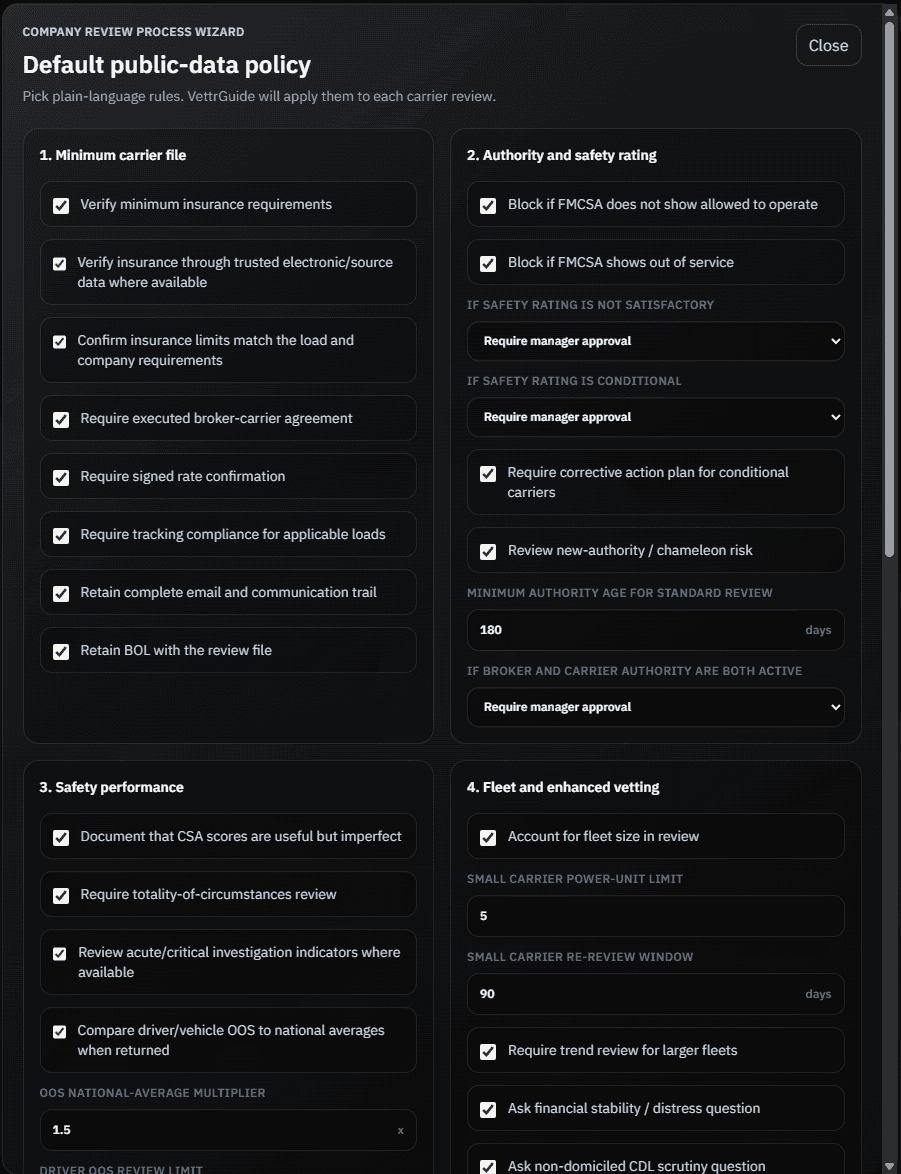
SOP rulesStart with the review rules your team actually uses. The active process controls what must be checked before a decision can be saved.
Step 2
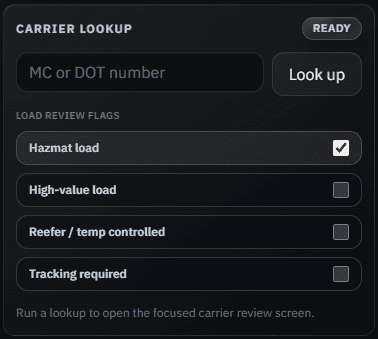
Public FMCSA dataLookup public FMCSA carrier data and turn authority, OOS, safety, crash, hazmat, and BASIC signals into plain review prompts.
Step 3
State route contextSee the route states, high-watch jurisdictions, and plain-language state risk summaries without hunting through separate notes.
Step 4
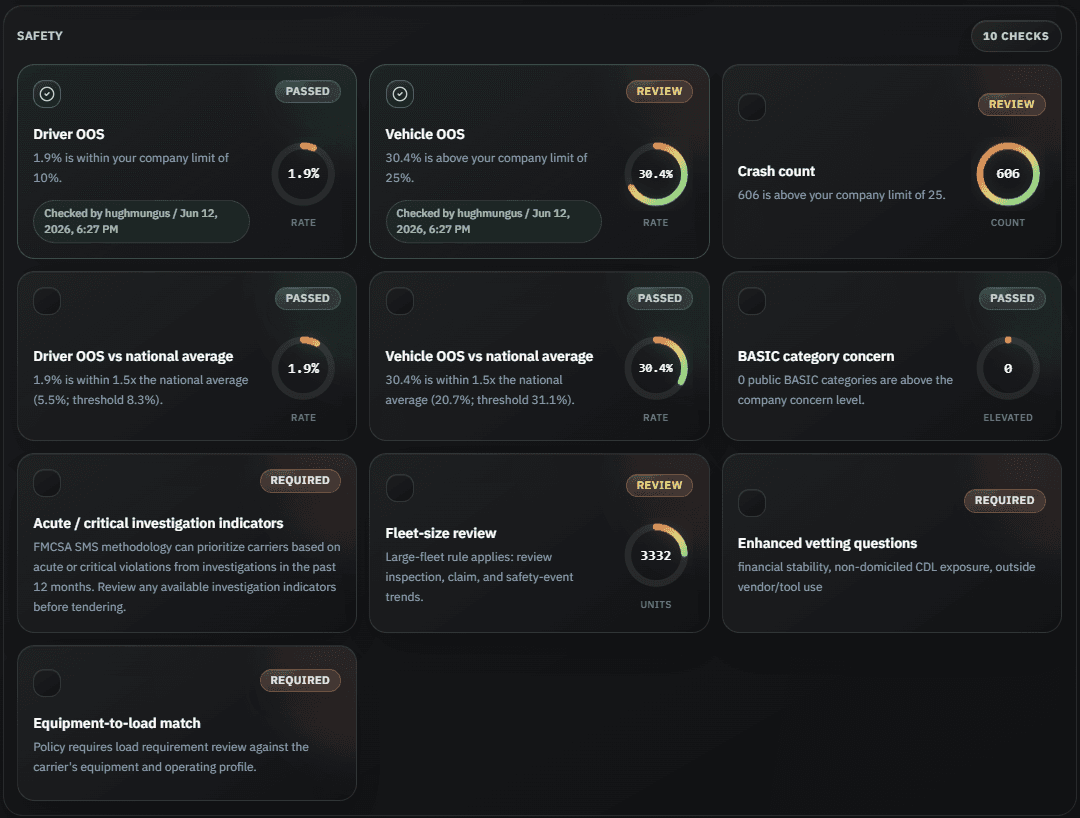
Audit checksAuthority, safety, documents, route, and litigation-readiness checks are grouped into a defensible workflow with required attestations.
Step 5
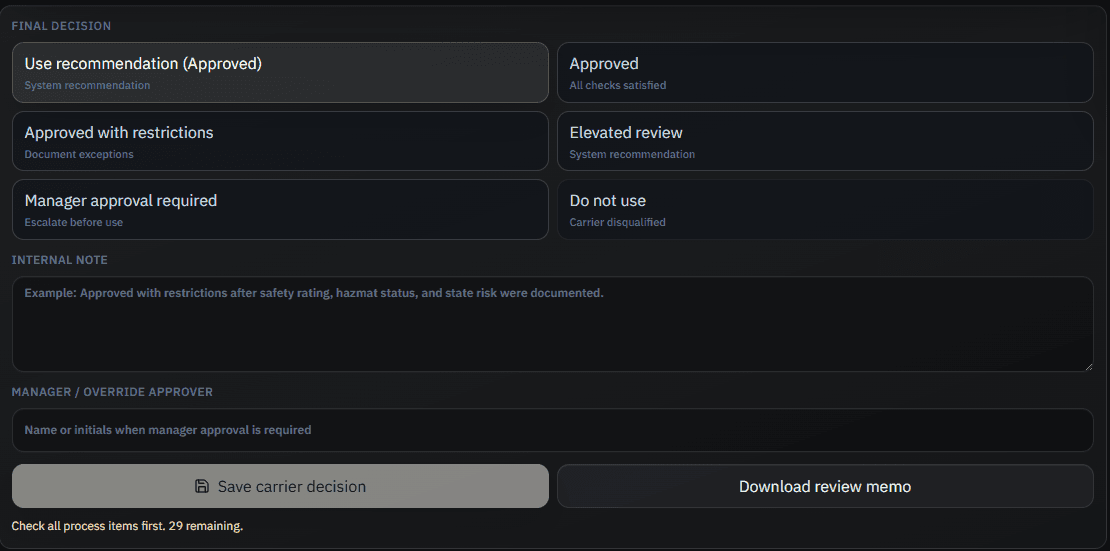
PDF audit packetStore the decision, internal note, policy snapshot, route context, user attestations, and downloadable memo for later review.
Step 1
Select the company policy
Step 2
Enter MC or DOT
Step 3
Map the lane exposure
Step 4
Complete the checklist
Step 5
Save the decision trail
Why teams use it
Document authority, insurance, safety, route, hazmat, identity, and state-risk checks.
Reduce arbitrary exceptions by applying the same written policy to every review.
Capture manager approvals, actual-knowledge red flags, and exception reasoning.
Give teams plain-language prompts instead of scattered screenshots and memory-based decisions.
Launch pricing
Unlimited internal use during launch. Create a workspace for beta approval, or start billing through Stripe when you are ready.
Request access